
When I first began building my second simulator, I knew I wanted an overhead launch monitor.
Truthfully, I was very close to pulling the trigger on the ProteeVX.
I wanted an accurate, fast, overhead ‘set it and forget it’ launch monitor that did not have an additional subscription to play GSPro, my preferred golf sim software.
In September of 2025 I changed my mind on the ProteeVX after learning about the Vtrack. Not only was it cheaper by about $1500 than the ProteeVX, it turns out it’s got even faster cameras, among other things.
I’ve owned the Vtrack for about 3 and a half months now and I’ve learned a few things about that I didn’t know before. I thought potential buyers would like to know about these features. So if that is you, then welcome to my website and this quick Vtrack guide.
Keep in mind that more of the nuts and bolts and important things about the Vtrack can be found in my in-depth Vtrack review. This guide is about things that aren’t really key metrics that really matter to people, but are still features you may want to know about.
Let’s get to it.
1. You can choose what ever color you want for the ‘ready’ indicator physically located on the device itself.
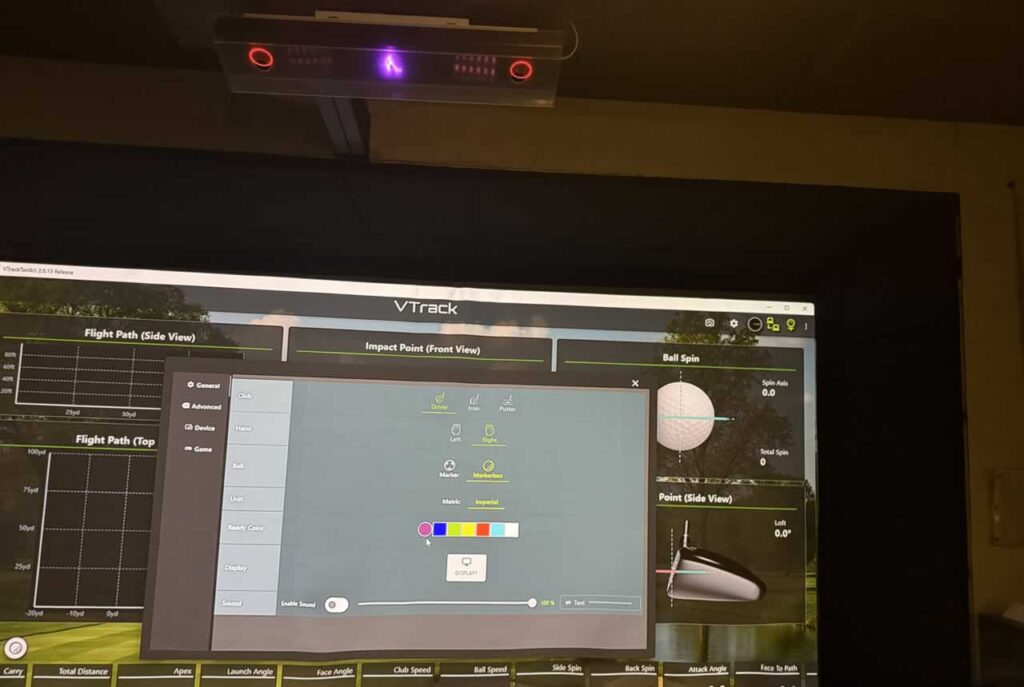
In the middle of the Vtrack is a line graphic stylized to look like a golfer that will light up whenever the system has locked onto the ball and is ready for a shot. You can choose multiple colors.
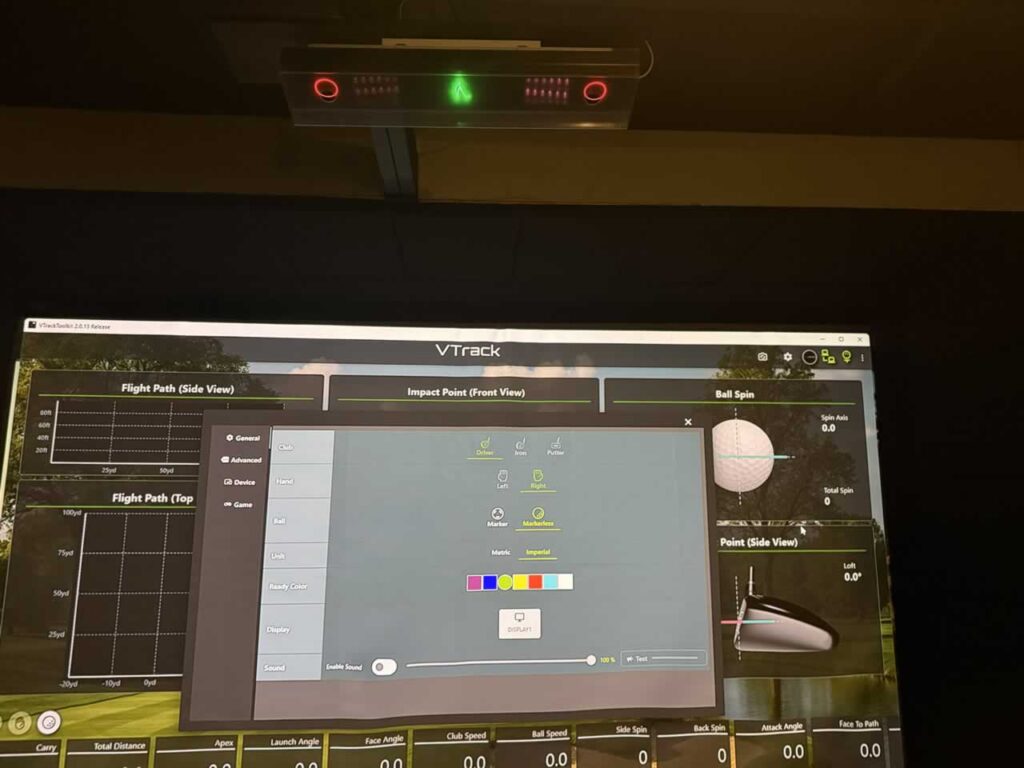
I chose green here at my simulator “On The Green”, but you can pick red, white, yellow, blue, orange, cyan, magenta and perrywinkle. Which ever color you choose will be displayed on the graphic physically on the device itself.
2. You can make your device audibly say “ready” whenever it is ready for the swing.
If this feature doesn’t annoy you like it would me you can set up the VTRACK to say ‘ready’ before every shot. It might be on by default actually and in that case you can turn it off during initial setup like I did.
You can also turn the volume up or down if you just want a soft ‘ready’. Maybe that’s not so bad. You can turn this off or on on the same screen as pictured above, toggle “enable sound” and then adjust the slider.
This would bug me to no end, especially because part of my pre-shot routine includes a waggle that moves the clubhead over the ball and blocks the cameras for a moment.
In my case the system actually goes from ‘ready > not ready > ready during my pre-shot routine. If it said ready after I did my little waggle but before I began the backswing it would drive me insane. Since I have the audible “ready” turned off and the system is fast to pick up the ball it does not affect me at all.
Just one of those things others may want to know, maybe you want it to say ready so you are confirmed you are good. There are other ways to determine if the system is ready for the shot like waiting for the video replay impact to disappear.
3. Your impact video will replay until you put a ball in the hitting zone.
This is how I tell that the system is ‘ready’ without looking up at the unit. If the video replay disappears the Vtrack has picked up on the ball and is ready for the next shot.
Usually it is ready within a second or two of placing a ball in the hitting zone. It’s quick. The video replay will go away and the system is waiting for the next shot. If you want to watch your video replay a few times, do not put a ball in the hitting zone.
4. You can pause, frame forward, frame backward and manipulate the video replay.
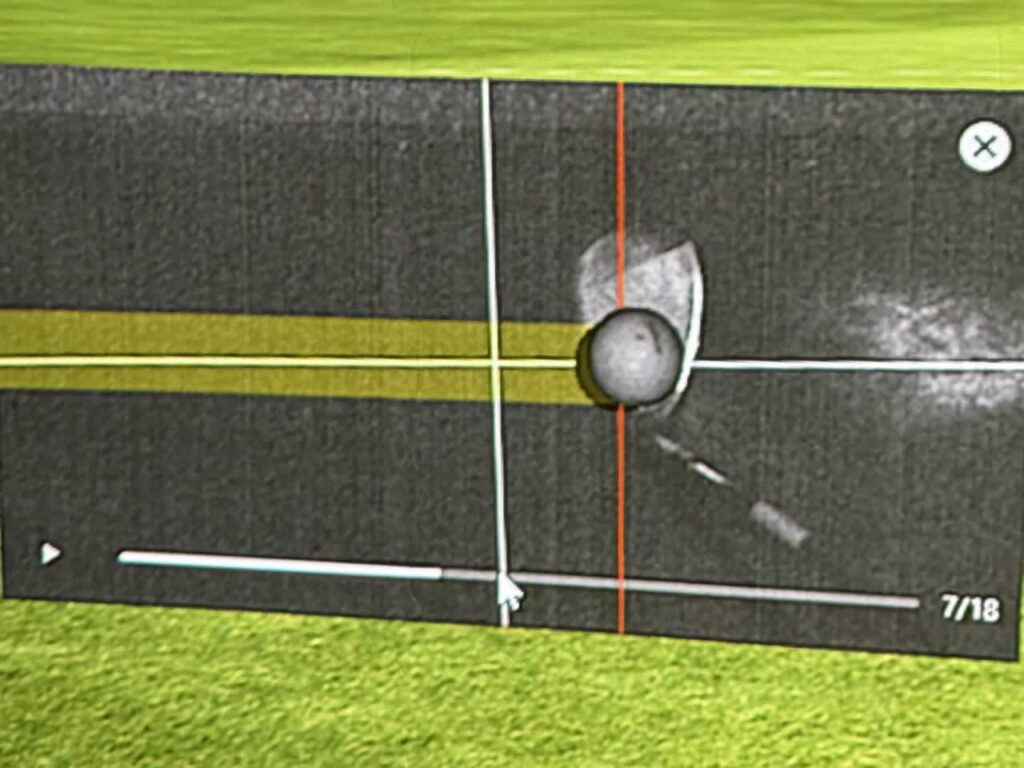
If you really like to analyze your shots, you can pause them and rewind and move forward frame by frame. I didn’t realize at first that this was a feature but it is really interesting if you like to look closely at your shot impact.
5. The hardware that is the Vtrack today was announced as a Protee RLX at the PGA 2023 show.
This is a video that Par2Pro did at the Protee booth in 2023 where the “‘RLX System” is mentioned and described.
I found multiple mentions and social media posts mentioning the same and similar claims that I linked to in my full review here. I do not know what happened here but it seems that things changed up since early 2023 and today. It makes me even more confident in the Vtrack honestly.
Keep On Reading More Good Content
- My full Vtrack review – written review with pictures.
- Buy the Vtrack – 365GolfDesign – tell em “OnTheGreen” sent you.
- 100 Golf Simulator Setups and Examples – links to different simulators I found inspiration from around the web.
- Carls HotShot Hitting Mat and all 3 strips reviewed.
- About Me